Scoozer
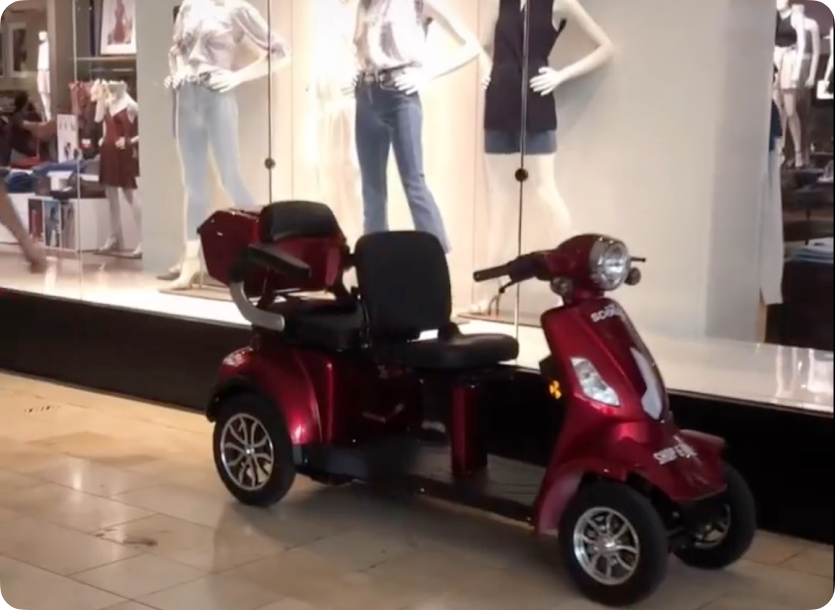
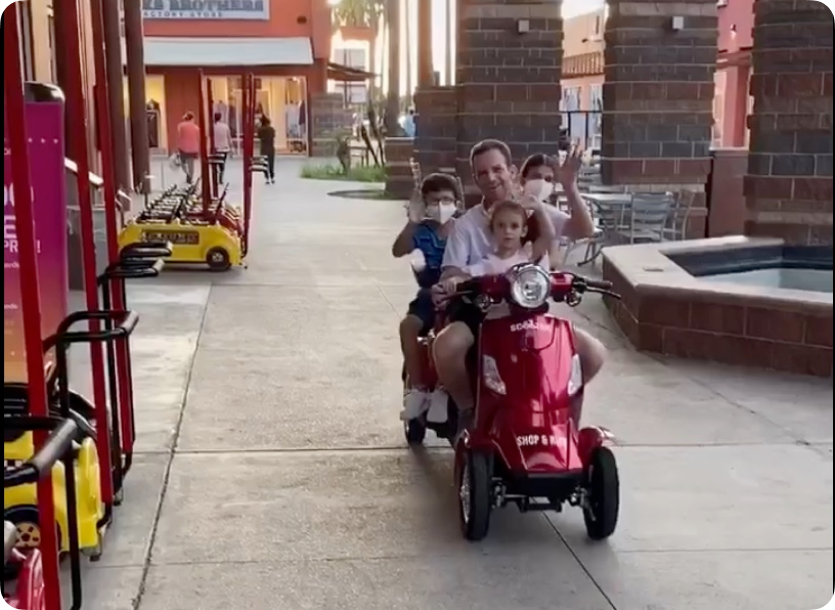
Scoozer is a 4-wheel 2-seat electric scooter that’s perfect for a day at the mall whether you need to move from one store to another, store your shopping bags, take a break from shopping, or just enjoy the ride with your company.
Scoozer is targeting shoppers in the mall to provide a convenient and entertaining transportation medium turning their experience day at the mall memorable.
Industry
Transportation
Platform
Mobile app and website
My role
Branding & UI design
Client
VisionX Partners
Problem
Many shoppers like senior citizen, physical disability, parents with childs often find it difficult to manoeuvre with their shopping bags through the bustling corridors of the large shopping mall. They would benefit greatly from the assistance of a vehicle or a helping hand.
Expectations
We will provide scooters to help customers’ shopping experience be easier and more memorable. Customers can easily rent a scooter using our dedicated mobile app, and after payment, they can use the scooter as much as they desire. Once their shopping is complete, customers must return the scooter to its original location.
Reality
A significant number of users struggle to ride scooters in a mall because they don’t know how to ride and more importantly they don’t know how to connect the app with the scooter. Moreover, some users have been found to exceed the recommended speed limit while riding the scooter. Additionally, they are not returning the scooter to the designated drop-off area.
Solution
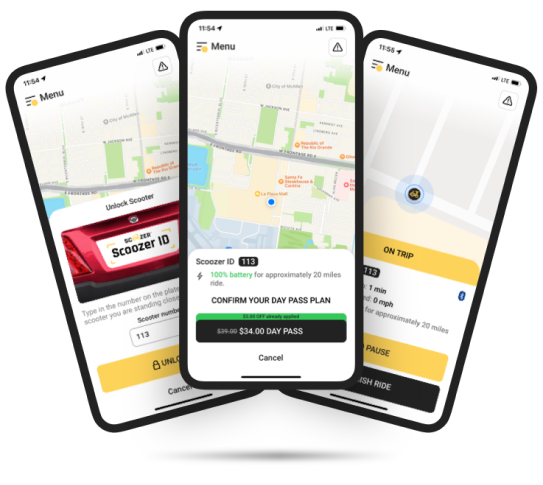
We have devised a solution. We will provide everyone with a basic understanding of how to ride a scooter. To ensure safety, we have added some visual instructions to guide the user on how to use the app and connect with the scooter. Additionally, we will include terms and conditions that outline any compensation that may be provided to the user of the scooter. Users can also learn everything from the guy in the rental both.
Contributions
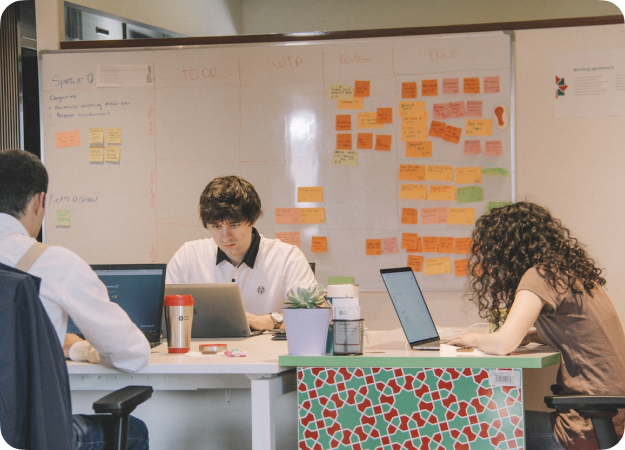
I collaborated with the primary stakeholders, product manager, and core UX team to research user behaviours and needs. Based on our findings and business goals, We proposed a user flow and wireframes that accurately reflected our research. Then I refined the user flow and wireframes to meet the users’ needs and finalised the design.
Defining the Problem
Since we are looking to provide a scooter rental service in a shopping mall, we need an app to facilitate the operation. As the scooters are electric, we can easily connect the scooter with our dedicated app.
Design Opportunity
We must design an app to operate and manage a scooter. When it comes to design, we should prioritise simplicity so that they can effortlessly take advantage of the scooter with the app. Additionally, we should design a website so that everyone can access a variety of scooter-related information in one convenient location.
But we didn’t start like that
What was our initial Hypothesis
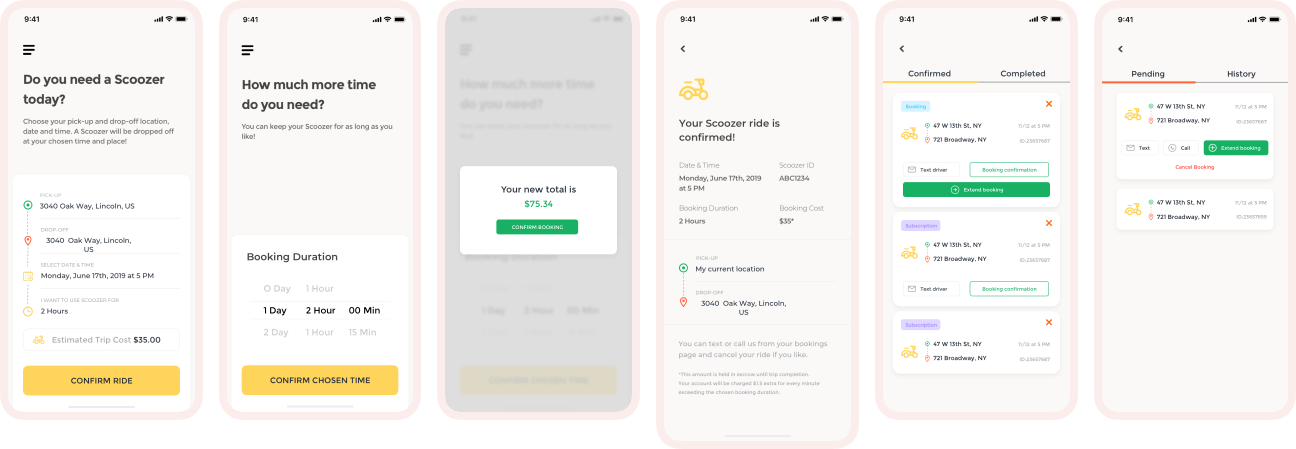
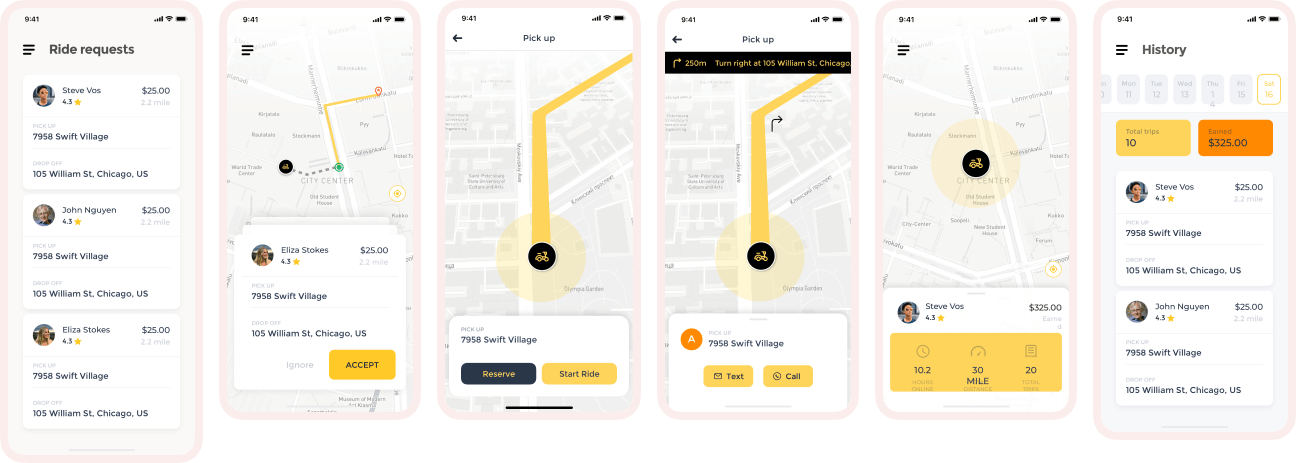
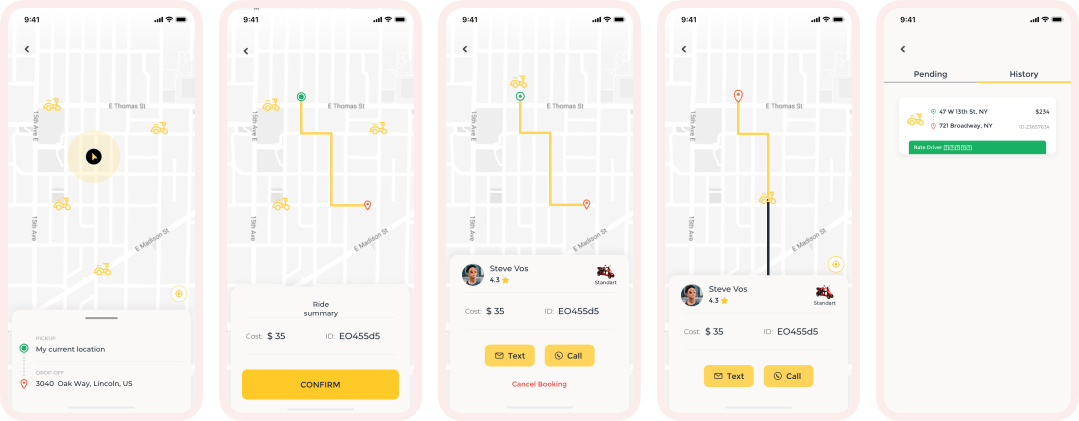
Initially we plan for a ride sharing app as like Uber, Lyft but in a different way. We thought about the tourist to go point A to point B. We thought about senior citizens. We also thought about different type of business model too. We prepared a rough design using a UI kit.
Initial idea for tourist
Initial idea for driver
Initial idea for rider
Result
We ran some tests and Facebook ads targeting those different customers and using different copies and images, we tried to understand which business models seemed more effective based on the insights we collected from customers. We designed some landing pages with different copies. We track visitors and track their activities. And in the end, we quantitatively found that going with this model was not the most viable for us, and finally, we decided to go with another business model.
How did we start again
1/10. Users
Parents with children
Senior citizen

Situational disabled person
2/10. Research
Goal
1. Finding a good user experience for all users.
2. Discover the user’s pain point and what they want.
3. Analyze a good place for providing our services.
4. How we ensure user safety.
5. How to secure scooters from unwanted experiences.
6. Fining reasonable also profitable pricing.
7. How to attract and educate about the service.
Method
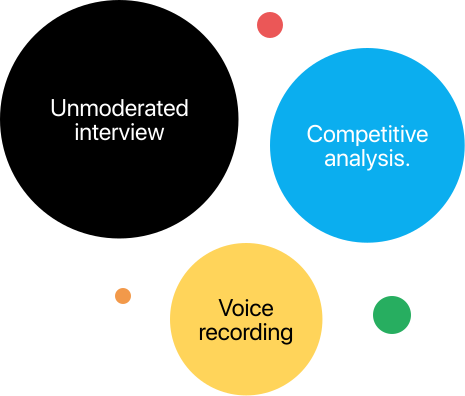
1. Unmoderated interview with very specific open-ended questions.
2. 10 mins for each interview.
3. 4-5 locations for finding potential users.
4. Competitive analysis.
5. Voice recording for future needs.
3/10. Brainstorming
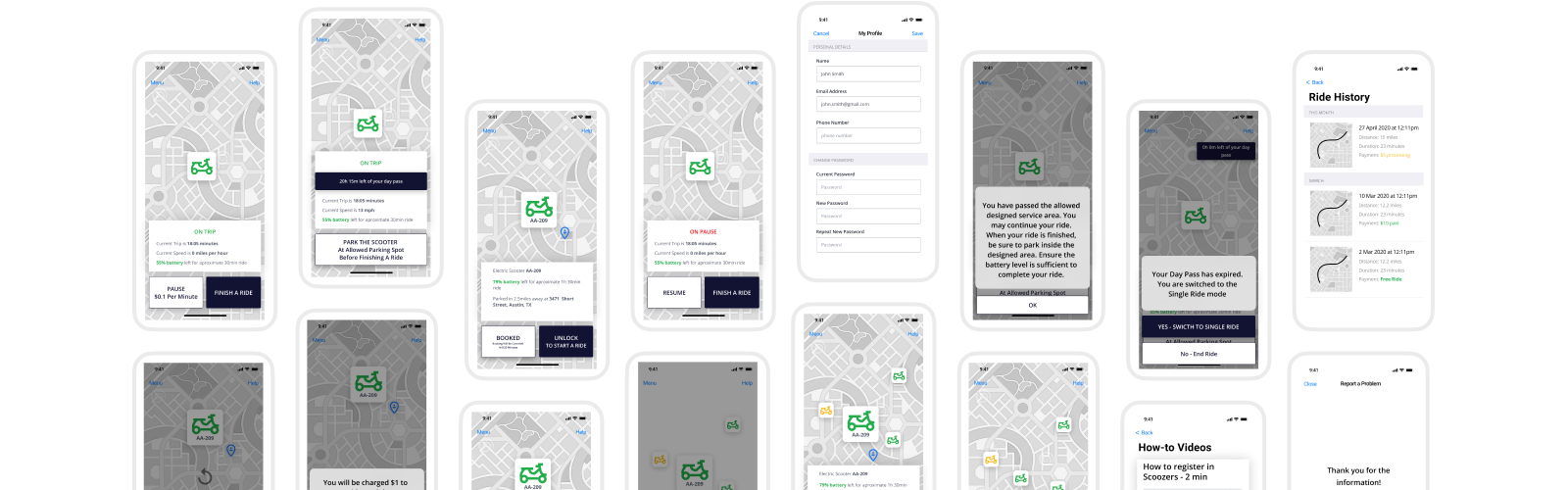
We were thinking about the user flow of the app so that users can experience the 4-wheel scooter. We brainstorm about that and made a user flow of the app. After that, we apply to make a wireframe based on the user flow. We also discussed the color and font style to make it enjoyable and easy to use. Also, think about the safety issues that users might face in the future and also security for the scooter too.
4/10. User flow
Observation
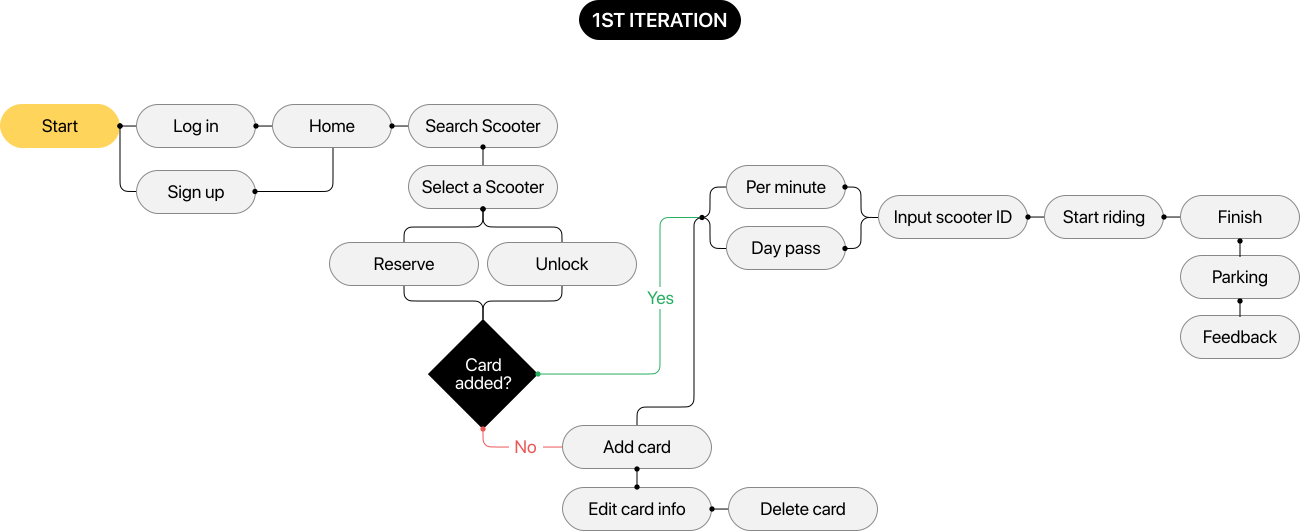
In the initial phase, we added an option to reserve scooters for 15 minutes, so that users wouldn’t have to wait for one to become available. However, after careful consideration, we have decided to remove the reservation feature because many of the users use this feature after 1500 rides and they want to book instantly.
What we did
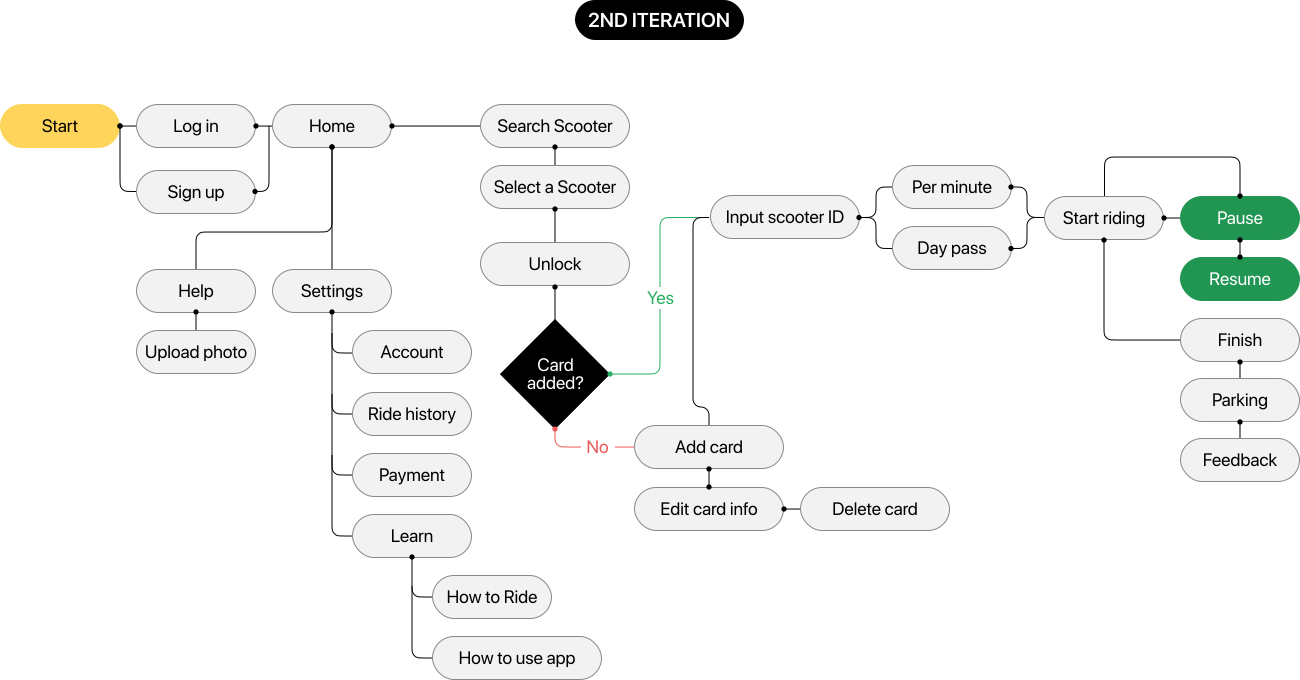
We removed the reserved features from the app flow. Also, move the inputting scooter ID before the time selection. And we add have added pause and resume options in the flow. After that, we added payment flow and settings features. In the setting feature, we have added a few essential sub-feature like account, Ride history, and lean how to ride and use the app.
Final observation
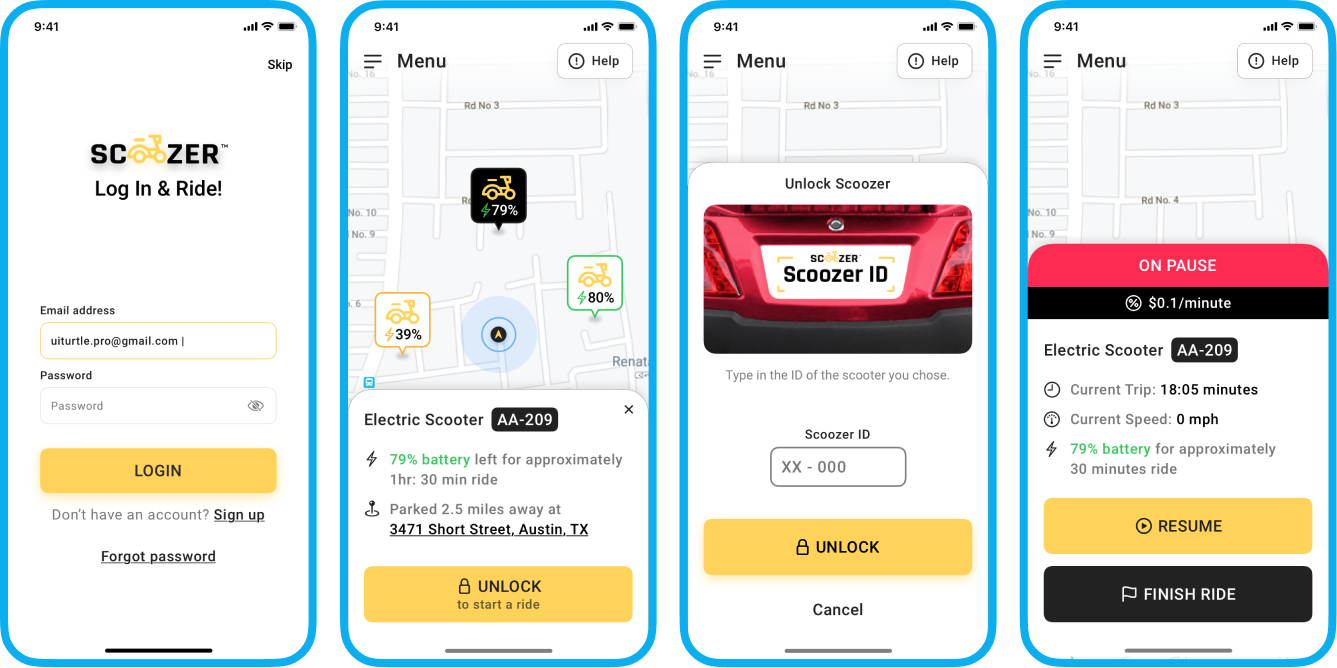
Users are not confused to find out the best option for them. They just open the app and start the ride after inputting the scooter ID. And they can pause and resume the scooter while they do shopping. After completing the ride they finish the ride and park the scooter in a dedicated location and give feedback about the ride.
5/10. Wireframes
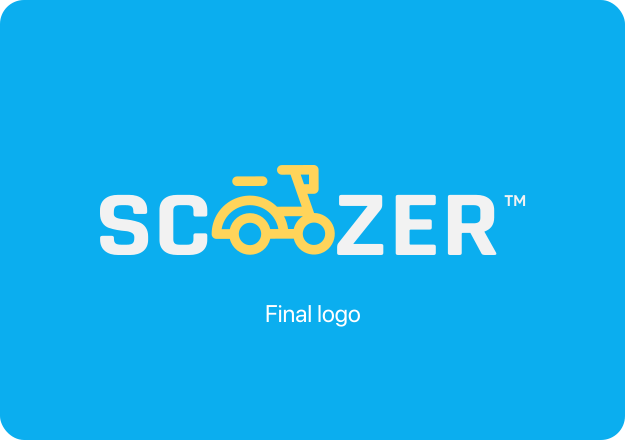
6/10. Branding
7/10. App design v1
Findings
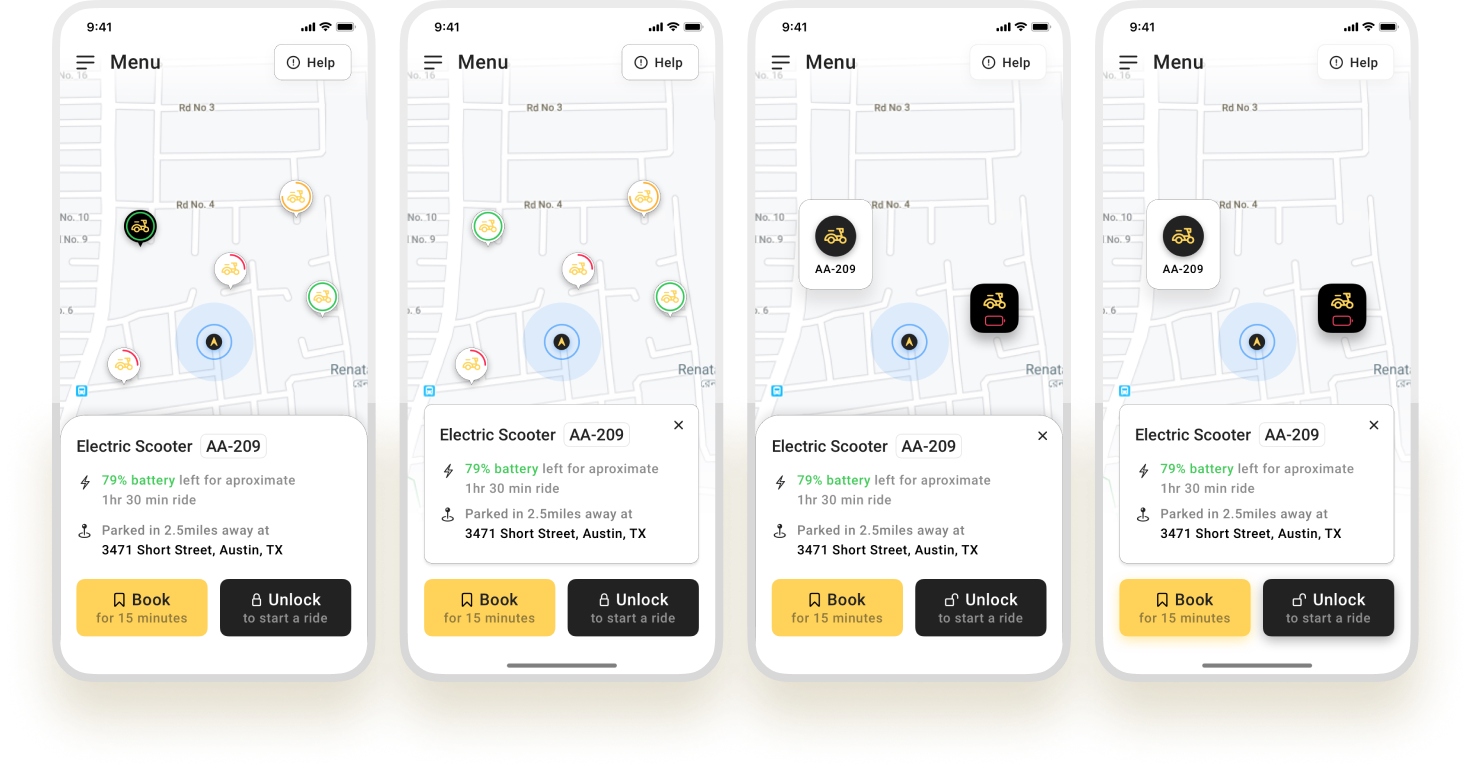
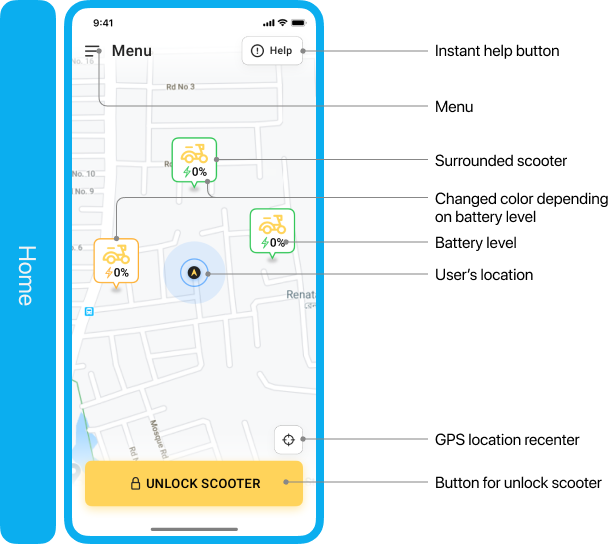
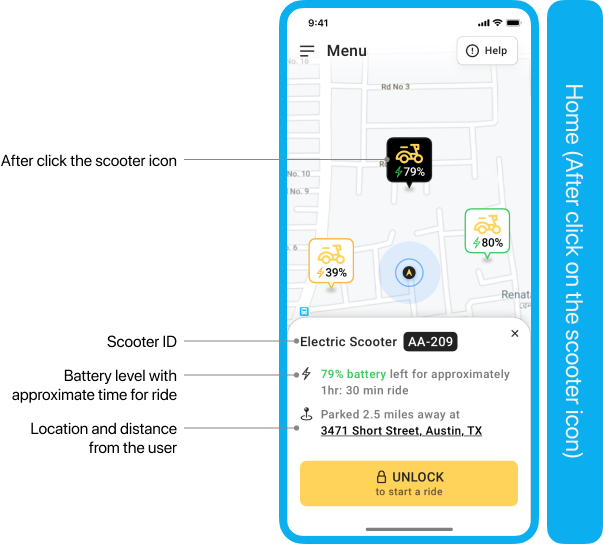
We struggled to find a good way to present the surrounding scooter with important information about the scooter such as battery level, scooter id, how many hours they can ride with any specific scooter, and current location. More importantly, we found that the button size is not perfect for more users.
So we figure out those issues and solved them with a better user experience.
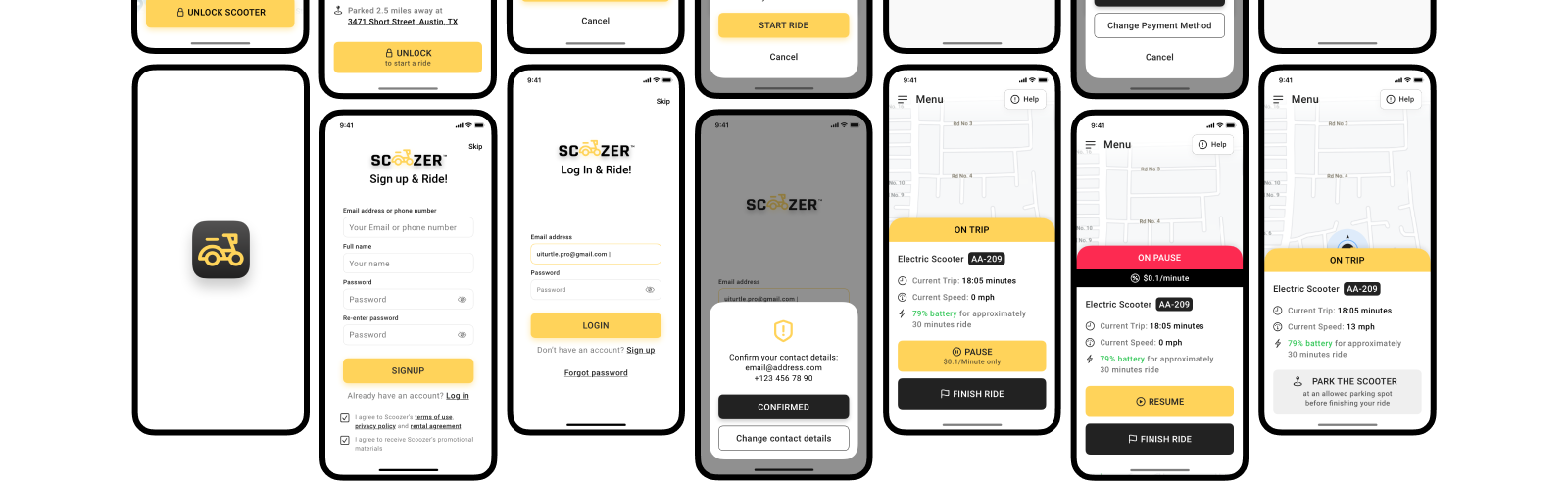
8/10. Final app design (Key moments)
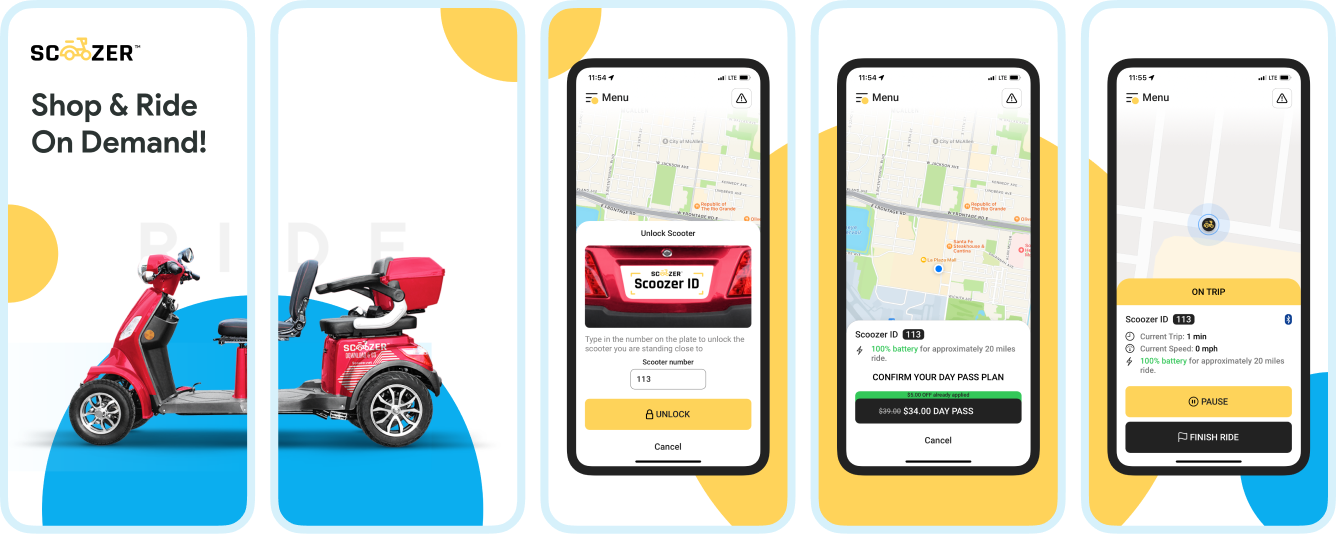
9/10. App store preview
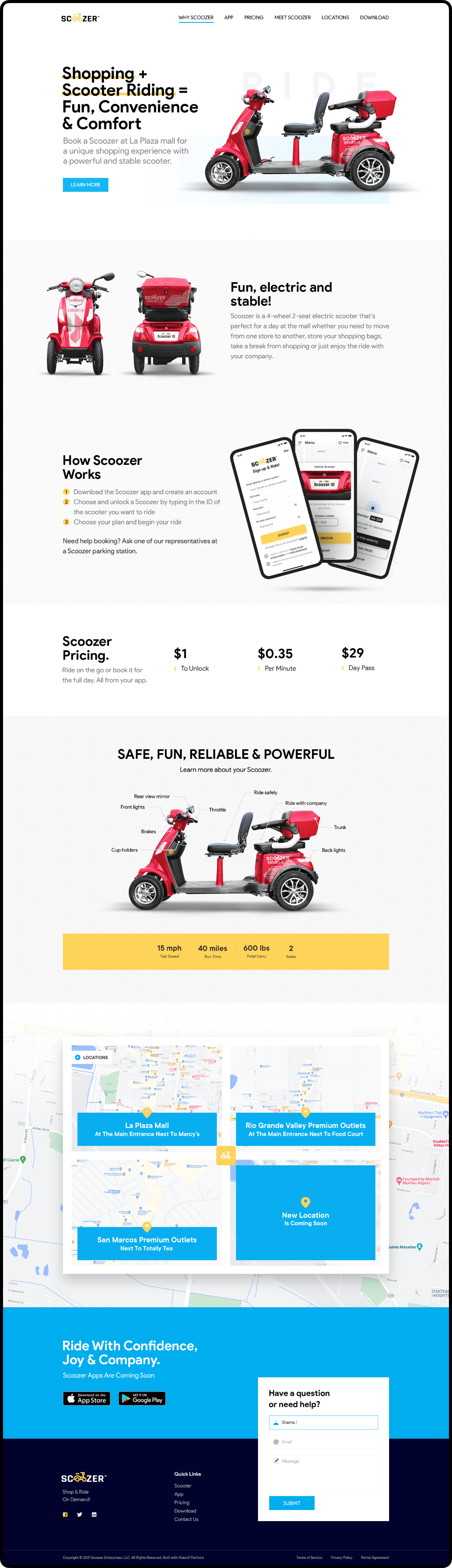
10/10. Website design
Goal
1. We offered $29 for a day pass.
2. We offered $10 off for using the mobile app.
3. We decided to fix the per minute for $0.35.
4. After a year we increased the pricing to $39 for a day pass.
5. We also offer to use any scooter from any location within their day pass.
The results
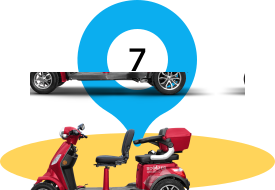
Launched 7 new locations for Scoozer in 2 years.
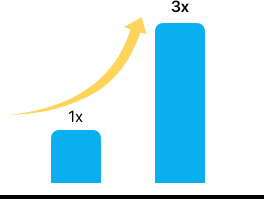
Tripled the business revenue in 2 years.